Website
See visitors with Traffic
Traffic in Wavely lists the visitors on your website right now and the pages they are reading, so you can start a chat first.
What Traffic shows
Open Traffic in the side menu. This screen shows everyone on your site right now and who is looking after them. A visitor appears as soon as the widget loads on the page, before they send a single message.
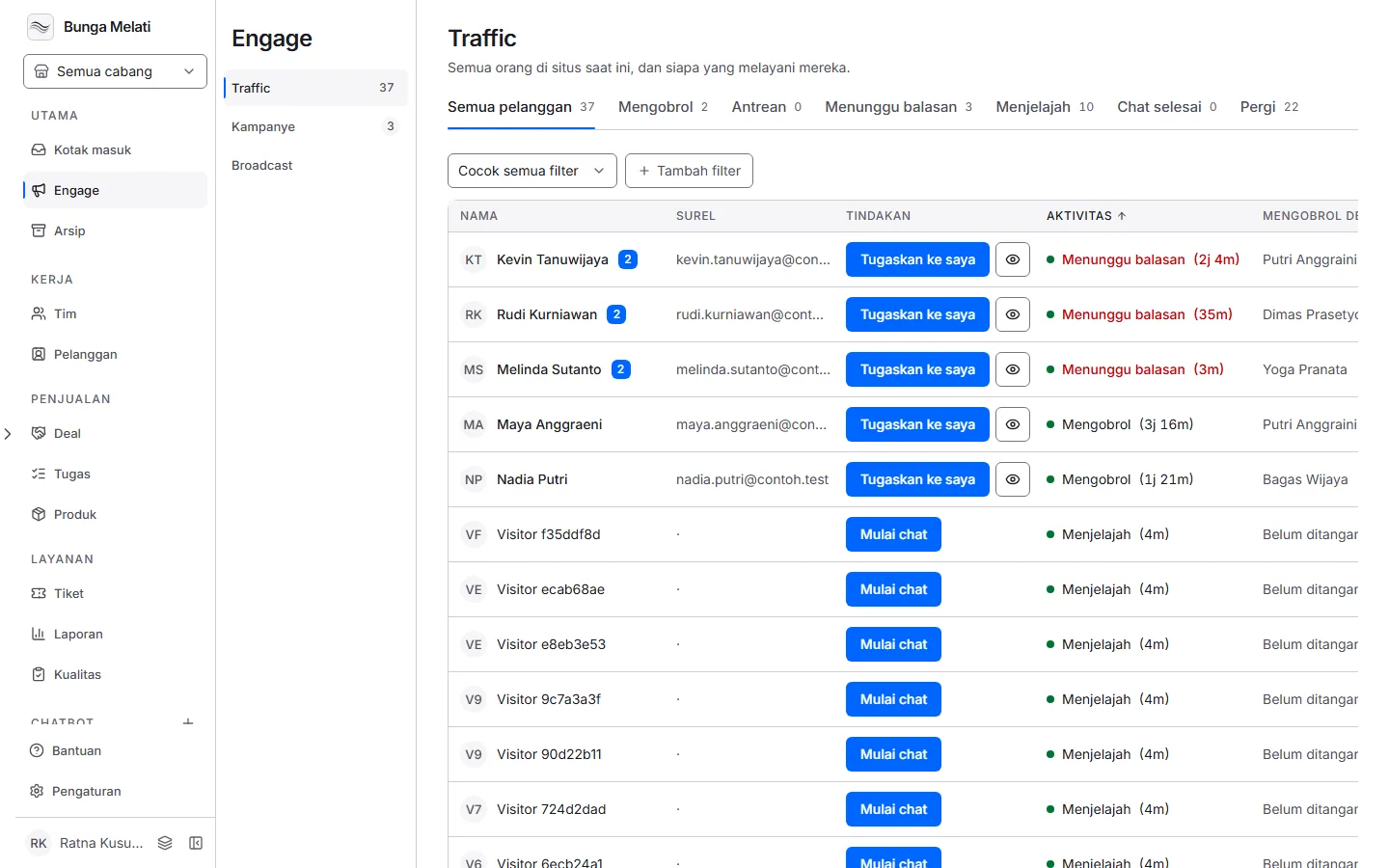
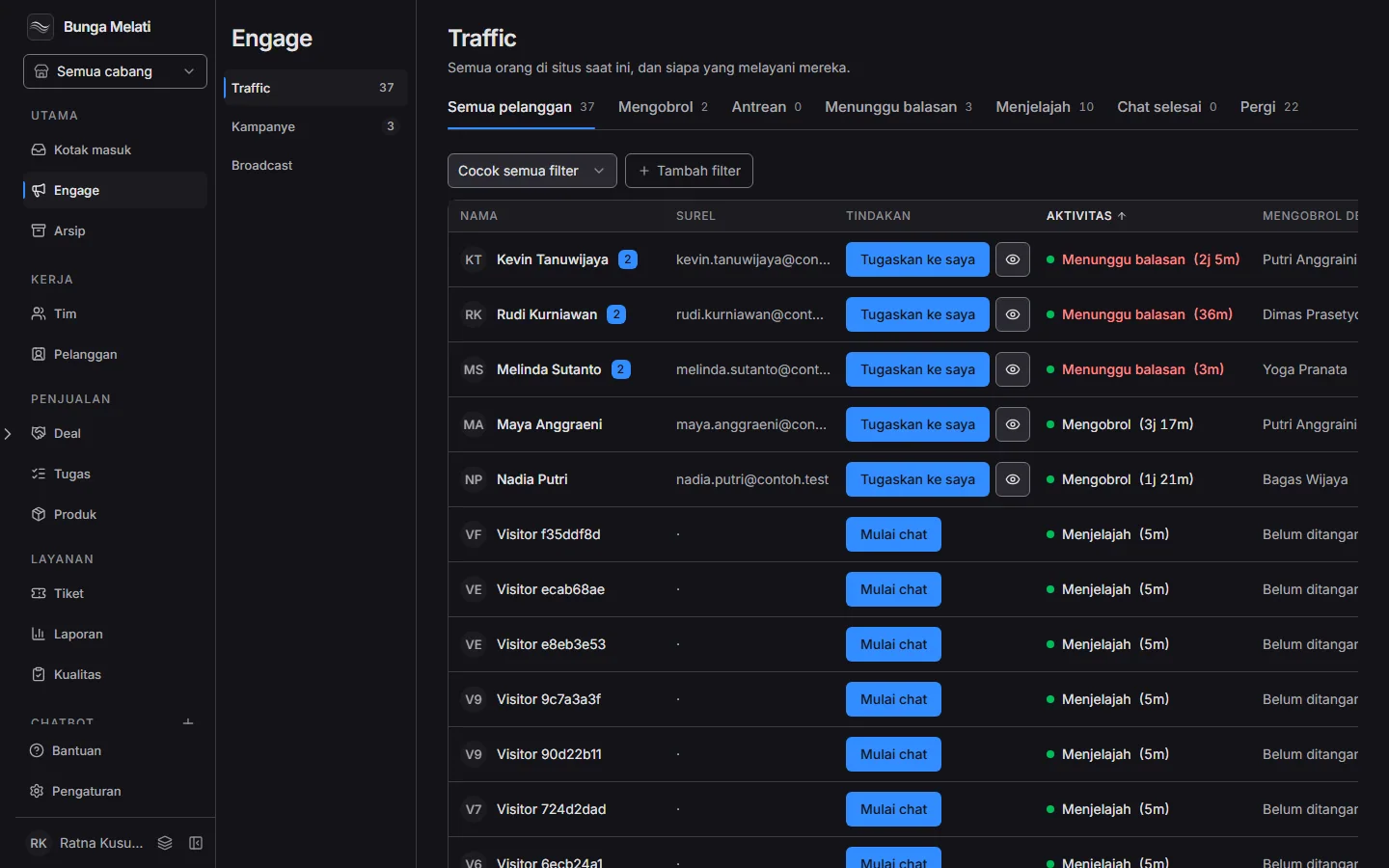
Each row has Name, Email, Action, Activity, Chatting with and Total time. Activity can be Browsing, Queued, Chatting, Waiting for reply, Chat ended or Left. The tabs above the table filter by activity.
The widget sends a signal every 20 seconds while the tab is open, so the list follows visitors who are still there. A hidden tab does not count as leaving.
Greeting and taking chats
The Action column changes with the state of the row:
- Start chat: the visitor is online and has no chat yet. You open the chat and it is assigned to you at once.
- Pick from queue: the visitor is waiting in line. Click to take them.
- Assign to me: a chat exists but nobody owns it.
- Open chat: the chat is already yours.
A chat someone else handles can be moved from the row menu, if your role allows it. If the new owner is already the busiest, Wavely asks before it moves the chat.
Filtering visitors
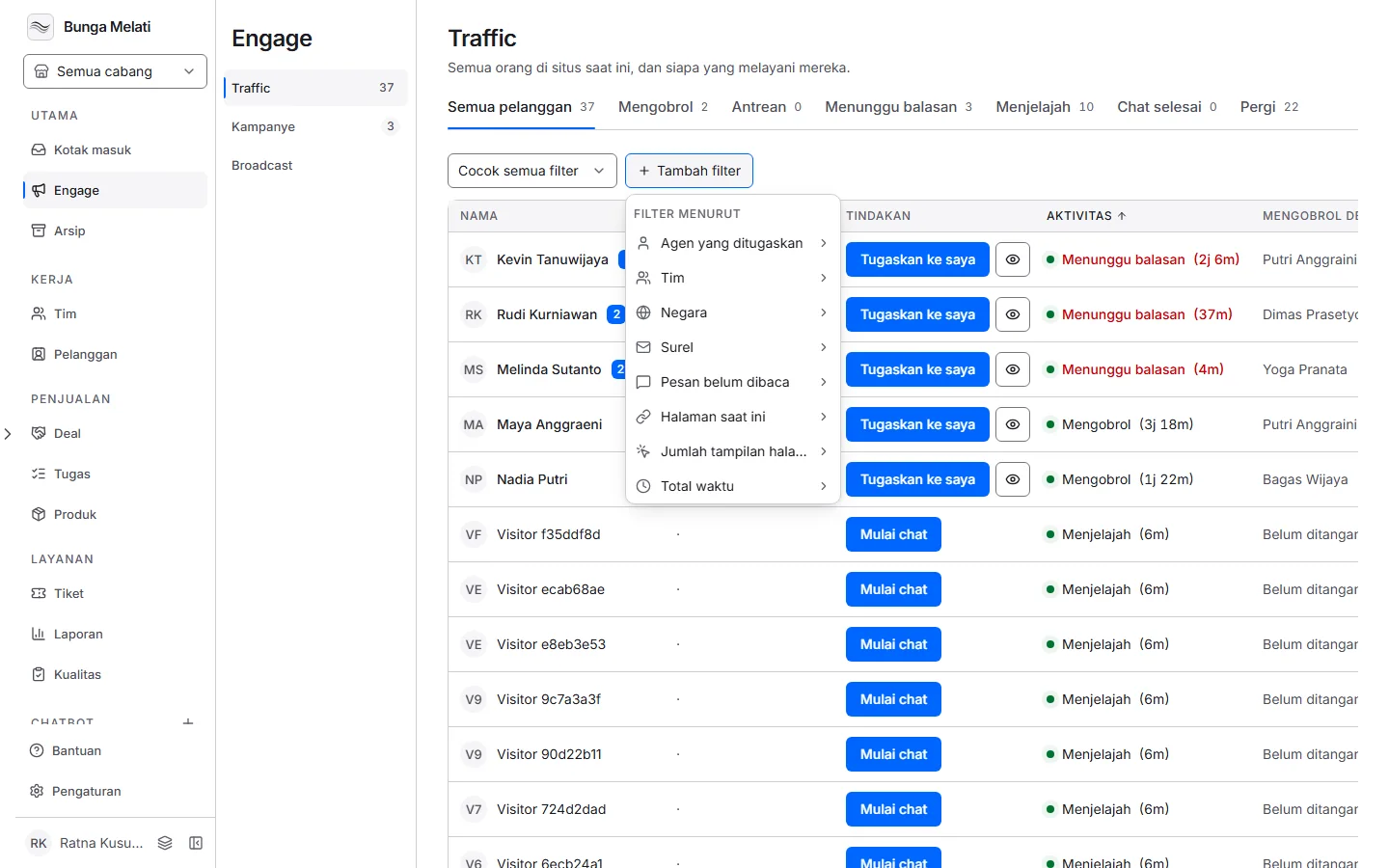
Add filters to narrow the list: Country, City, Current page, Came from, Campaign, Device, Returning customer, Web crawlers and more. Choose Match all filters or Match any filter to set how filters combine.
Note: An agent limited to certain teams only sees visitors whose chat is in those teams or handled by them. Visitors who never chatted are visible only to agents who are not limited.